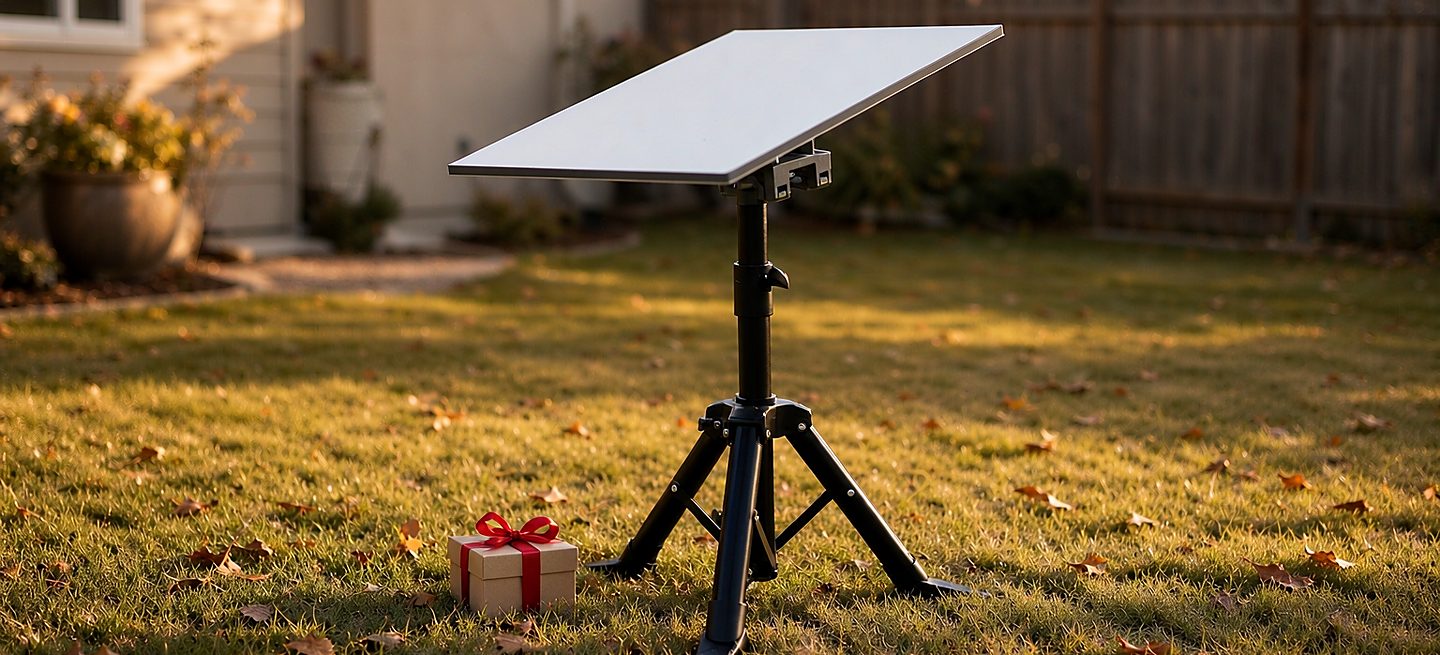
Short version: a Starlink dish arrives with everything it needs and nowhere to live. The router, the cable and the app all work perfectly well on a kitchen table; the dish does not, and the mount is the part of the setup most new owners have not solved yet. That is what makes it the gift that gets used. If you know their home, a roof kit or wall bracket is the present they will still be thanking you for in five years. If you do not know their home, the tripod stand and the router wall mount are the two gifts that cannot be wrong.
This is the gift-buying version of our regular advice. If you are buying for yourself, the pre-checkout checklist and the decision tree are the better starting points — this page assumes you are shopping for someone else's setup, which is a different problem with different rules.
Why a mount is the gift that lands
Everything in the Starlink box is designed to work immediately, and it does — on a table, tilted at a window, indoors. The dish is the one component that has to live outside, in the sky, on something. New owners discover this in the first week: the app runs, the speed test passes, and then the dish sits on the floor looking temporary while life happens around it. Months later it is still on the floor.
The mount is also the upgrade owners do not buy themselves. It reads as hardware rather than as a treat — the same psychology that keeps people using the router their ISP rented them. A mount arrives as a gift and gets installed the same weekend. That is the whole case: it is useful, it is permanent, and it is the thing they would not have bought for themselves.
The one problem with gifting a mount
You are buying hardware for an install you cannot see. A roof kit for an apartment with a strict landlord is a returned gift; a tripod for someone with a permanent rooftop install is a gift that lives in the garage. The fix is three questions — ask them directly, or ask whoever is closest to them:
- Do they own the roof and walls, or rent? Owners with a clear wall want the bracket. Renters, and anyone who might move, want the tripod.
- Where does the router live? If the Gen 3 router is on the floor behind the TV, the router wall mount is the small gift that finishes the job they keep not doing.
- Is this a home setup or a travelling one? RV, cabin, boat, job site — the tripod again, and the boat guide or the RV guide tells you which details matter for their version of it.
If you cannot get answers to any of the three, that is fine — the next section exists exactly for you.
The safe gifts: right without a single answer
The tripod stand — the gift that fits every yard
Freestanding, nothing drilled, works on any ground that is roughly level, and it packs flat when they move. It suits renters, travellers and homeowners alike — for the homeowner it becomes the backyard setup, the guest setup, the cabin setup. The honest limit, which we would rather say than have them discover: a freestanding stand comes down before a storm. That is the trade for not putting a single hole in anything, and for most recipients it is the right trade.
It ships with its pipe adapter in the box, so nothing else has to be bought to make it work — the dish screws straight on. Two sizes: the standard at $62.99, and the extra large at $98.09 with a bigger frame and taller mast. When you are guessing, the standard is the right guess; the extra large is for when you know they want the larger build.
The router wall mount — the small gift that finishes the install
The dish gets the attention, but the photo every Starlink owner has seen — router on the wall, cables tidy, floor clear — is the setup most of them never complete. The router wall mount is that finish, for $17.99 (combination) or $22.49 (overall / 2-in-1). Screws and anchors are in the box, it is a ten-minute job, and the front and sides stay open so the router vents exactly the way it does on a desk. The router guide explains why the last metre of cable matters as much as the first.
One check before buying: this bracket fits the Gen 3 (Standard) router only. The Mini router is a different size and does not fit. If you are not sure which router they have, the tripod is the safer gift.
The gift that needs one answer first: the roof kit or wall bracket
This is the best gift in the catalogue and the worst one to guess on. At $59.39 it is the permanent answer — the dish gets a real home, the install stops being temporary, and the sky view is designed rather than accidental. But it assumes a wall or roof they are allowed to fix to, with a view worth fixing toward, and a recipient willing to spend an hour with a drill.
So the one answer you need is question one: do they own? If yes, buy. The roof kit and the wall bracket are the same price and the same checkout page with two variants — pick the page that matches the surface you know they have, and the choice between roof and wall is one dropdown either way. If they rent, or you simply do not know, the tripod is the honest gift and the bracket is a beautiful way to be wrong. The cost guide is the page to read if you are weighing whether they would pay someone to install it — for most, the answer is that they will enjoy doing it themselves.
What not to gift
Four things that feel right and are not:
- Another dish. They have one. A second terminal is a service plan, not a gift.
- The official pipe adapter. The dish's 1.5 inch thread screws straight into every mount we sell — the adapter is the one accessory a new owner does not need, and on its own it is a wasted gift. The explainer covers the two cases where it still matters.
- A no-name "Starlink compatible" mount from a marketplace listing. "Compatible" is a claim to check, not a spec. The verification questions take a minute and save a return.
- A mount for a dish you have not confirmed. Standard and Mini share the thread but not the weight, and a bracket sized for one is not automatically sized for the other — the comparison is the two-minute version.
The budget ladder
| Budget | The gift | Who it suits |
|---|---|---|
| Under $25 | Router wall mount | Any Gen 3 owner whose router is still on the floor |
| Around $60 | Roof kit or wall bracket | Homeowners with a clear wall or roof — the permanent answer |
| Around $63 | Tripod stand, standard | Anyone — renters, travellers, and the yard that hosts guests |
| Around $98 | Tripod stand, extra large | The same gift, bigger — taller mast, larger frame |
All four ship free across the US, and all four take the dish's 1.5 inch thread directly — no adapter purchase hides behind any of them.
Timing, and what happens if it is wrong
December is the busiest shipping month of the year, so for a Christmas deadline order a couple of weeks early rather than days. Every order ships free within the US, from the USA. If the gift turns out to be the wrong type, the returns policy gives 30 days from delivery on an unused item in its original packaging — and if the wrong item or a defect is our fault, return shipping is on us. And if you are genuinely stuck between two, email us the situation: a photo of their wall or their yard settles it in a reply, and we will tell you when the right answer is a cheaper gift than the one you were about to buy.
FAQ
What is a good gift for someone who just got Starlink?
A mount. The dish works out of the box; the mount is the part of the setup they have not solved, and it is the upgrade they would not buy themselves. A tripod stand is the safe choice when you cannot see their setup, and the router wall mount is the small gift that finishes the install they keep postponing.
Is the tripod stand a good Starlink gift?
It is the safest one we sell: freestanding, nothing drilled, works on any ground, and it packs flat if they move. It suits renters, travellers and owners alike. The honest limit is that a freestanding stand comes down before a storm - that is the trade for not putting holes in anything.
What if they rent - can I still gift a mount?
Yes, and it narrows the choice usefully: the tripod. Nothing is drilled or fixed, so there is no landlord conversation and nothing to undo when they move. A wall bracket for a rental is the classic wrong gift - the renters guide covers the same ground from their side.
Which tripod size should I get as a gift?
The standard size suits most setups. The extra large is the same tripod with a bigger frame and a taller mast - pick it when you know they want the larger build, and the standard when you are guessing. Both take the dish directly and both include the adapter in the box.
Will the router wall mount fit their router?
Only if they have the Starlink Gen 3 (Standard) router - check before buying. The Mini router is a different size and this bracket does not fit it. If you are not sure which router they have, the tripod stand is the safer gift.
Do they need the official pipe adapter with the gift?
No. Every mount on this site takes the dish's own 1.5 inch pipe thread directly, and the tripod ships with its adapter in the box. An adapter is the one accessory a new Starlink owner does not need, which makes it a poor gift on its own.
Will it arrive before Christmas?
Every order ships free within the US, and December is the busiest month of the shipping year - order a couple of weeks before you need it rather than days. For a hard deadline, email us before ordering and we will tell you what is realistic.
What if I buy the wrong type?
The returns policy gives 30 days from delivery on an unused item in its original packaging, and if the wrong item or a defect is our fault we cover return shipping. If you are torn between two, email us the situation first - a photo of their wall or yard usually settles it in one reply.
Starlink Tripod Stand
The gift that cannot be wrong - freestanding, nothing drilled, adapter in the box, works in any yard.